Objectives
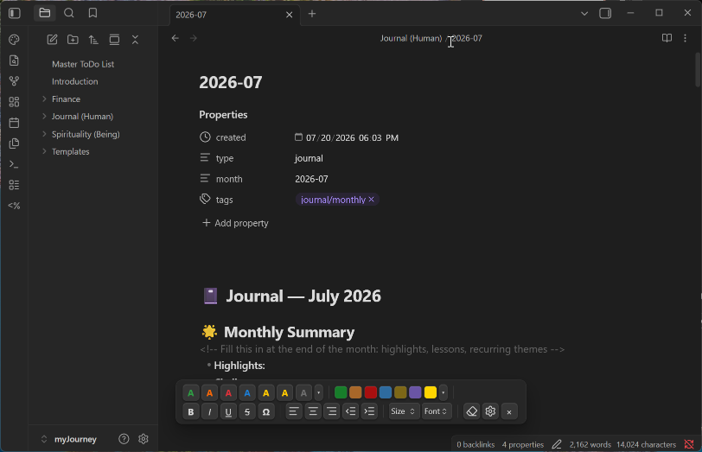
A free plugin for Obsidian that adds a floating, Word-like formatting toolbar to your notes: text colors, highlights, font sizes, font families, bold/italic/underline/strikethrough, and alignment. What makes it different from every other formatting plugin: everything it produces is one clean inline HTML span — stack as many styles as you like and they merge into a single tag instead of nesting wrappers.
- Select a word, click red, click yellow highlight, click Large, click bold — the result is a single
<span> - Click inside an already-styled word to restyle it — no re-selecting, even when Obsidian hides the markup
- Semi-transparent highlight presets that stay readable in light and dark themes
- Table-aware alignment and paragraph indentation: align paragraphs, whole table columns, a selected fragment inside a cell, or even image embeds — and indent/outdent paragraphs in clean 2em steps
- A symbol picker (Ω) for math, Greek, arrows, punctuation, currency, and marks, with a recently-used row
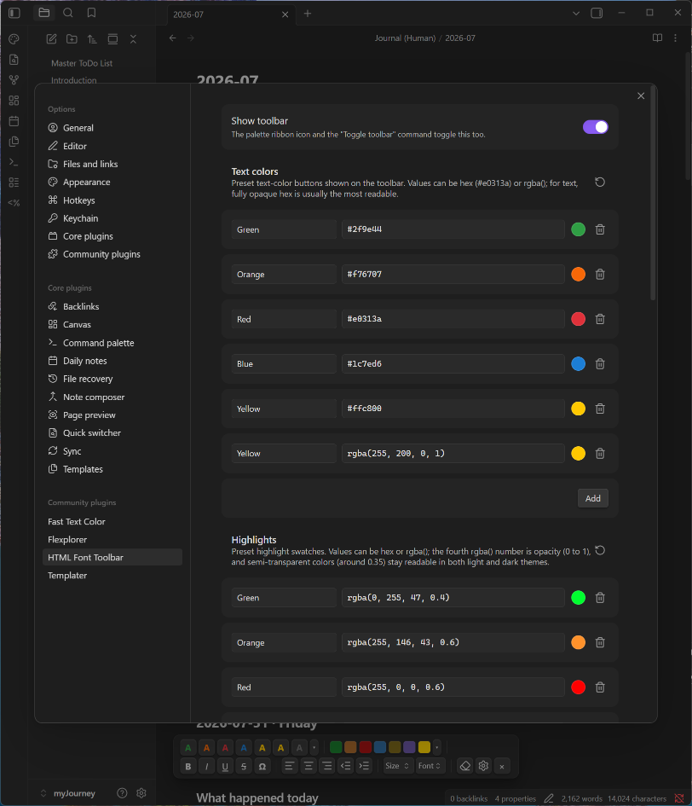
- Every preset is customizable in the settings tab — add, rename, or recolor colors, highlights, sizes, fonts, and symbol groups
- Notes stay plain HTML, so they render identically even if the plugin is later removed
Good to know: Obsidian’s Editing view renders inline HTML or parses Markdown, never both. So if you centre or indent a line containing a [[wikilink]], the link reads as plain text while you are editing that note and renders correctly in Reading view. This is a long-standing Obsidian limitation that no plugin can work around — it applies to any HTML-based formatting, not just this toolbar.
Get the Plugin
Free and open source, for Obsidian on the desktop — now available in the official Obsidian community plugin directory. In Obsidian, go to Settings → Community plugins → Browse and search for “HTML Font Toolbar”, or open the directory page below.
Install from Obsidian Community Plugin on GitHubManual install (alternative): download main.js, manifest.json, and styles.css from the latest release into <your vault>/.obsidian/plugins/html-font-toolbar/, then enable the plugin in Settings → Community plugins.
Support This Work
HTML Font Toolbar is free, open source, has no ads, and collects nothing about you — it runs entirely inside your vault, and everything it writes is plain HTML that stays in your own notes. That is the way an Obsidian plugin ought to work, and it is also why plugins like this are hard to sustain: there is no data to sell and no subscription to bill, so nothing pays for the work behind them.
Small tools take real time to build and, more importantly, to keep alive. Obsidian moves forward, the editor changes underneath a plugin, bugs surface in real use, and features get added because someone asked. A donation, however small, is what makes that continued attention possible — and it directly funds the next free tool as well as the upkeep of this one.
If this toolbar saved you a fight with raw HTML, or simply made your notes look the way you wanted them to, please consider chipping in. It genuinely makes the difference between a project that keeps improving and one that quietly stops.
DonateSecure payment through PayPal — no account required, and any amount is appreciated. Thank you for supporting independent, free software.